
The Smart TV features that actually matter once you have kids

Because “can everyone actually watch what they want without a meltdown?” is a valid reason to buy a Smart TV.
Buying a TV with kids in the house is a completely different exercise. It’s not just about picture quality, it’s about who has the remote, what your five-year-old can accidentally click into, and how you juggle one kid wanting YouTube while the other has homework due tomorrow.
Thankfully, smart TVs have come a long way. Here’s what actually matters.
What parents should look for in a Smart TV
AI Upscaling for Kids’ Content
AI upscaling uses machine learning to analyse each frame and intelligently fill in missing detail, so older or lower-resolution content, originally made for screens a fraction of the size of your living room TV, still looks sharp on a big screen.
Samsung’s 2026 Australian range leans heavily into this, with AI-powered processing across Neo QLED and OLED models, while Sony’s Bravia lineup uses its XR Cognitive Processor to achieve similar results.
Either way, it’s worth looking for “AI” or neural upscaling in the specs, it genuinely makes a difference to how everything looks.

Voice control for busy parents
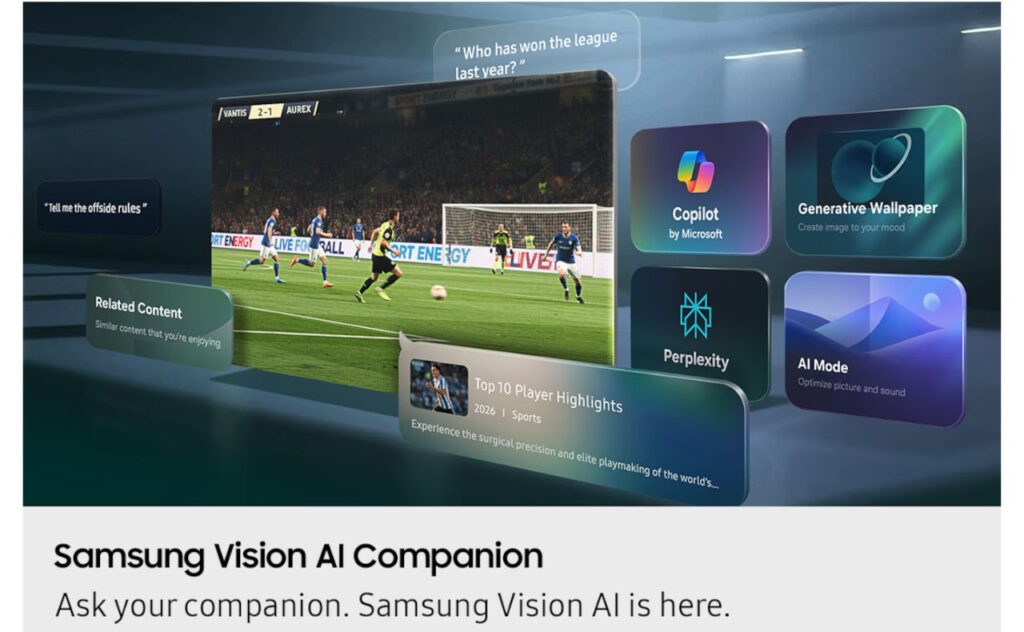
The real gamechanger with voice control is being able to say “pause,” “turn it down,” or “find Bluey” without hunting for the remote (or negotiating its return from a toddler).
Look for built-in microphones and compatibility with your preferred assistant. Samsung uses Bixby, LG runs ThinQ AI with Google Assistant and Alexa support, and Sony Bravia TVs work natively with Google Assistant. Ideally, you want one that understands natural speech, not rigid commands.
Built-in parental controls
These sit above individual apps, so you’re not juggling settings across Netflix, Disney+, YouTube and everything else.
Good parental controls let you set content ratings, lock apps, create viewing schedules and PIN-protect changes. Samsung also offers Kids Mode on compatible models, creating a separate, curated environment. The key is making sure controls work at a system level, not just app by app.
Multi-View for homework and downtime
A genuinely underrated family feature. Multi-View (split screen) lets you use the TV for more than one thing at once, a homework tutorial on one side while a show plays on the other, a workout video while the game’s on, or keeping an eye on different content without constant switching.
It works across live TV, apps, gaming consoles and mirrored devices, so you’re not constantly flicking between inputs or missing what’s on.

Ambient or Art Mode
When you’ve got kids, the TV is on a lot, even when it’s not really being watched. Ambient or Art Mode means instead of a black screen, you get artwork, nature photography, or your own family photos displayed instead. Much easier on the eye, and it makes the TV feel like part of the room rather than a big dark rectangle.
Samsung’s The Frame pioneered this and the 2026 range now has 50% more Art TV options. Sony and LG both offer ambient modes too, look for one that uses your own photos and has a motion sensor to switch off when no one’s in the room.