
Minecraft and Xbox share expert safe gaming tips

From setting up child accounts to balancing screen time, these safe gaming tips will help protect your little gamers while they play.
Navigating the online gaming world as a parent can feel overwhelming, but creating a safe and enjoyable experience for your kids is easier than you think.
This Safer Internet Day (February 11, 2025), Xbox and Minecraft are here to help with their “Top 5 Tips for Safe Gaming” initiative. These practical tips are designed to empower parents across Australia and New Zealand to create a secure and positive gaming environment for their families.
Safer Internet Day: Together for a Better Internet
This year’s Safer Internet Day theme, Together for a Better Internet, encourages collaboration to make the digital world safer for everyone – especially kids and teens. Xbox’s Trust and Safety team is dedicated to empowering parents with tools and education to navigate these online spaces confidently.
Why safe gaming is essential
The stats are eye-opening. In Australia, research from the Office of the eSafety Commissioner reveals:
- 89% of kids aged 8-17 play online games.
- 40% have interacted with strangers online.
- 44% of teens (and 40% of younger kids) have experienced bullying or hate speech in games.
- Over 51% of teens have encountered harmful content while gaming.
In New Zealand, 80% of kids game online, with half of teens reporting conflicts with friends over gaming.
As gaming grows as a core part of kids’ lives, parents play a crucial role in guiding safe and positive online behaviour.
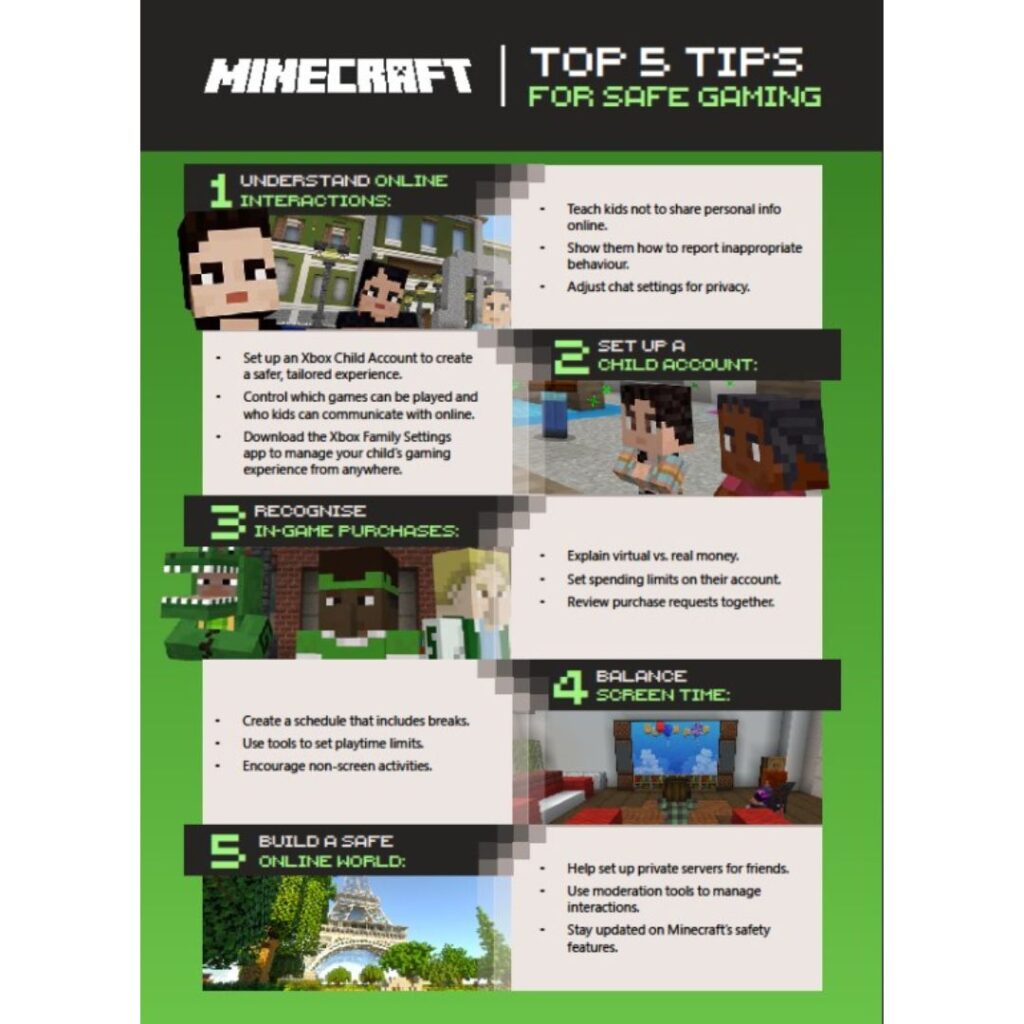
Minecraft’s Top 5 Tips for Safe Gaming
Xbox and Minecraft are equipping parents with tools to create safer online spaces for their children. Here’s how to make gaming secure and fun for the whole family:
1. Understand online interactions
- Teach kids to avoid sharing personal information like their real name or address.
- Familiarize yourself and your child with Minecraft’s reporting tools to address inappropriate behavior.
- Encourage open communication about any uncomfortable interactions.
- Adjust chat settings to control who can contact your child.
- This guide can help you and your child understand how to use Minecraft’s reporting tools
2. Set up a child account
- Use the Xbox Family Settings App to create child accounts with age restrictions.
- Customise content settings to block unsuitable games or apps.
- Enable weekly activity reports to track gaming habits.
- Activate the “Ask to Buy” feature for in-game purchase approvals.
- Check out this page on setting up a child account
3. Recognise in-game purchases
- Explain the difference between virtual currency and real money.
- Set spending limits on your child’s account.
- Review purchase requests together to align with family rules.
- See here to understand how to set up approval needed for purchases
4. Balance screen time
- Create a schedule that includes designated times for gaming, homework, and outdoor activities.
- Use tools within the Xbox Family Settings app to set playtime limits.
- Promote regular breaks during gaming sessions.
- Model balanced screen habits by engaging in non-screen activities as a family.
- Check out this guide on setting screen time limits in the Xbox Family Settings App
5. Build a safe online world
- Help your child set up private servers to play with friends they know in real life.
- Teach them how to use moderation tools to manage player interactions.
- Organize supervised group activities within the game.
- Stay informed about the latest updates and safety features in Minecraft.
- See here for how to set up a private server
For more resources on family gaming, visit xbox.com/family. From privacy tools to activity monitoring, Xbox and Minecraft make it easier for families to game smart and game safe.
How parents can create safer gaming environments
Start early: Talk to kids about online risks and safety as soon as they begin gaming. Even young children are eager to learn how to stay safe online.
Make conversations ongoing: You don’t need to be a tech expert- simple chats about their favourite games and how to make good choices online can go a long way.
Understand their perspective: While kids often feel in control of their online world, parents may view it as risky. Shift the focus from enforcing restrictions to teaching positive behaviours and empowering decision-making.